

RoughEst Instant Estimate Calculator
Free WordPress Plugin — Instant Price Range Estimates for Services
RoughEst is a free WordPress plugin that lets website visitors instantly calculate rough price range estimates for services without submitting a contact form. It reduces the friction that stops a curious visitor from becoming a qualified lead: instead of waiting for a callback to find out whether they can afford the service, they get an answer immediately.
Version 1.1.0 adds native Gutenberg block support for both calculator types. Calculators can now be placed in any post, page, or block template directly from the block editor — no additional plugins needed. Classic widgets remain supported for non-block themes.
Installing a Calculator
In the block editor, click +, search for RoughEst, and insert either RoughEst Sqft Calculator or RoughEst Run Calculator. Settings appear in the right sidebar panel. Both blocks are available in posts, pages, and block templates.
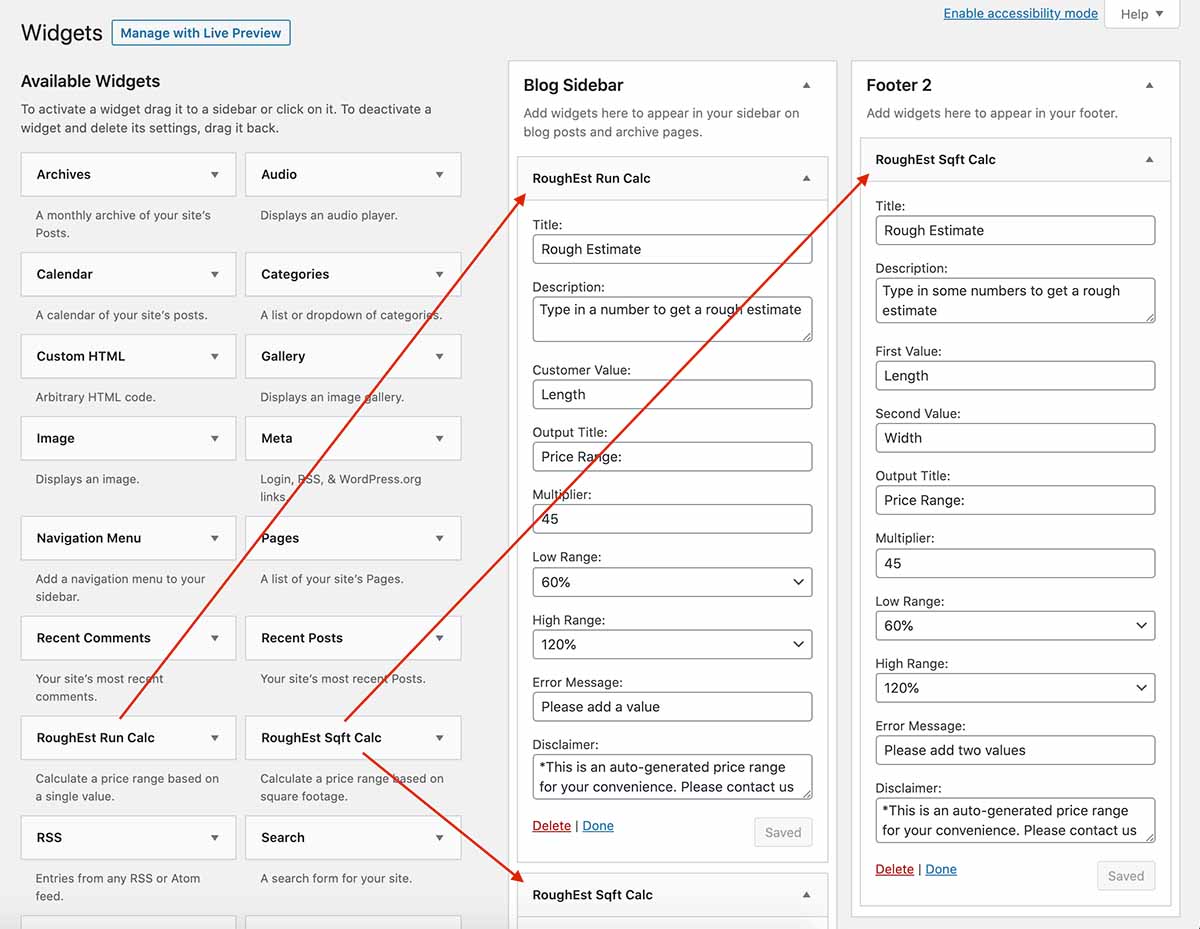
For non-block themes, go to Appearance → Widgets and drag either RoughEst widget into your sidebar or footer area.
Two Calculator Types
Cost Per Square Foot Calculator
Customer enters two values (e.g., length and width), the calculator multiplies them to get square footage, then multiplies by your cost-per-sqft to generate a price range. Good for any service priced by area: decking, flooring, painting, roofing.
Customer enters: 10 × 10
Square footage: 100 sqft
Your cost: $100/sqft
Base calculation: 100 × $100 = $10,000
Low range (60%): $6,000
High range (120%): $12,000
Result: $6,000 – $12,000
Cost Per Run Calculator
Customer enters a single value (e.g., linear feet or quantity), multiplied by your cost per unit to generate a price range. Good for fencing, trim work, piping, or any service priced per unit or per foot.
Customer enters: 10 (units)
Your cost: $100 per unit
Base calculation: 10 × $100 = $1,000
Low range (60%): $600
High range (120%): $1,200
Result: $600 – $1,200
Customizable Per Instance
Each block or widget instance is independently configured. Place multiple calculators on the same site with completely different settings to represent different services or price tiers.
- Main Title — Display name shown above the calculator
- Description — Subtitle or brief instructions
- Value Labels — Input field names, displayed above each field (e.g., “Length” / “Width”)
- Output Label — Label next to the result (e.g., “Estimate:”)
- Cost-per Multiplier — Your base pricing multiplier (default: 70)
- Currency Symbol — Any symbol or prefix per instance (default: $)
- Low Range Variance — Percentage for low estimate (default: 60%)
- High Range Variance — Percentage for high estimate (default: 120%)
- Disclaimer — Text to display after calculation
- Error Message — Custom message if no values are entered
Screenshots
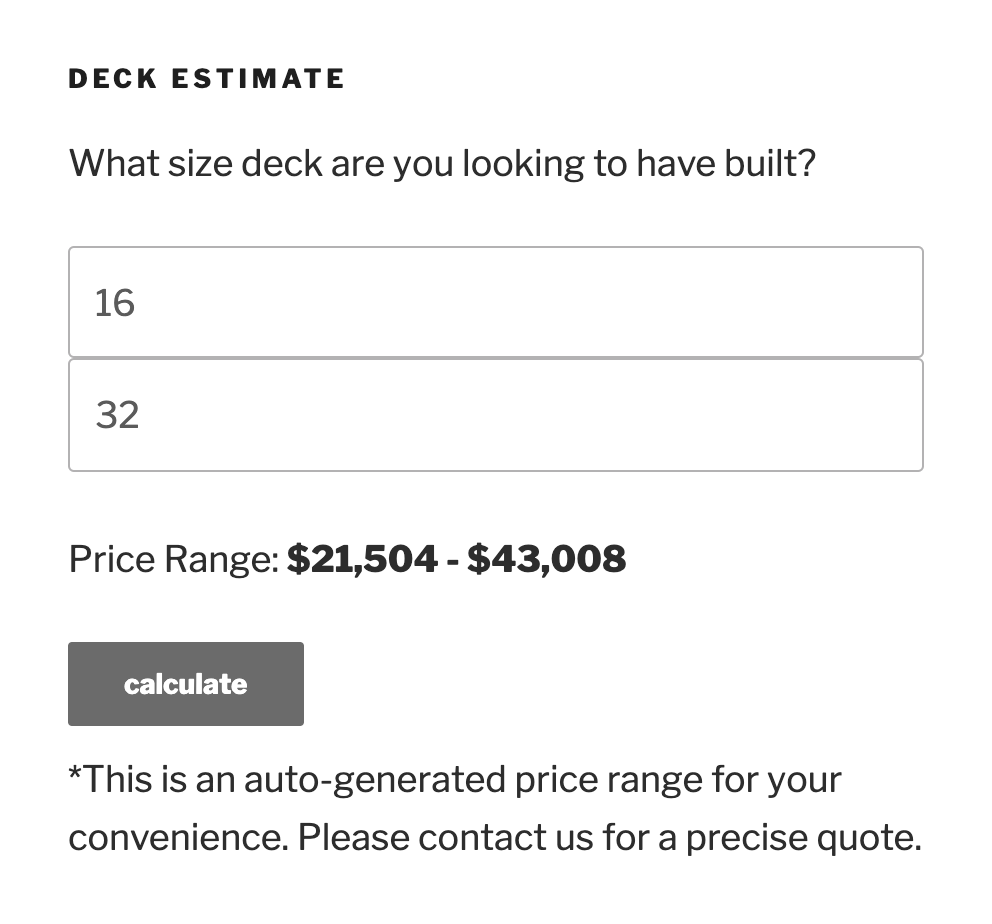
Cost Per Square Foot Calculator
Customized for the decking industry
Multiple Instances
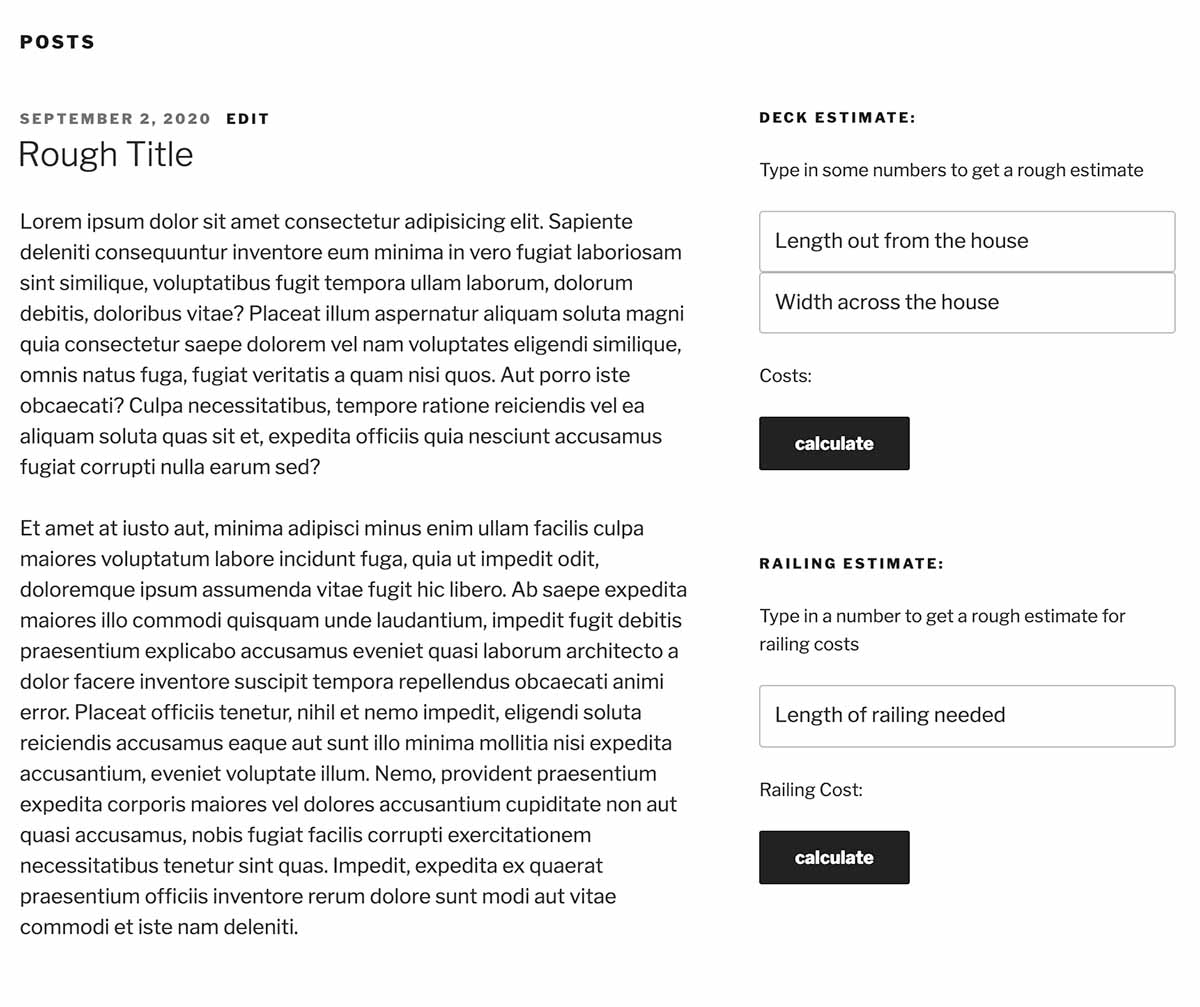
Two customized calculators in the sidebar with different settings
Classic Widget Panel
Drag-and-drop widget panel for non-block themes — install and configure each calculator independently
Frequently Asked Questions
-
Can I use RoughEst on pages and posts?
Yes — just add a RoughEst block from the block editor. Click +, search for “RoughEst,” and insert either calculator. No extra plugins required. For sidebar and footer placement in non-block themes, use the classic widgets panel under Appearance → Widgets.
-
Can I customize the price range?
Yes. You can set the low and high range percentages independently for each calculator instance. For example, set the low range to 50% and high range to 150% for a wider spread.
-
Can I use multiple calculators on one site?
Yes, RoughEst supports unlimited concurrent instances. Each can have completely different settings, labels, multipliers, and ranges.
-
Can I change the currency symbol?
Yes. Each instance has a Currency Symbol setting in its configuration panel. The default is
$, but you can set any symbol or text prefix you need, independently per instance. -
How do I style the calculator to match my theme?
Target the CSS class
.roughest-inputsin your theme's custom CSS to style input fields. -
Can you build custom features for my use case?
Yes. I'm available for custom development. Contact me to discuss your specific needs.
Ready to Install?
Get RoughEst from the WordPress Plugin Directory or contact me for custom calculator development.