
wp-block-styles
Zero-dependency CSS for styling WordPress Gutenberg blocks in headless applications.
Implement in your layout file for global consumption, or in targeted pages consuming the WordPress REST API.
The Problem
When you fetch WordPress posts via the REST API in a headless setup, you get semantic HTML with Gutenberg block classes like wp-block-quote, wp-block-gallery, and wp-block-cover — but no stylesheet. Your framework (Next.js, Nuxt, SvelteKit, Astro, Remix, Vue, or TanStack) renders unstyled HTML at first.
wp-block-styles solves this by providing the CSS you need. No dependencies, no build step, no bloat. Just styles for WordPress block classes that work in any framework.
wp-block-styles: Block Style Reference
Live examples from the WordPress REST API
This page demonstrates every core WordPress Gutenberg block type rendered with the wp-block-styles package. It is pulled live from the CMS via the WordPress REST API and styled entirely by the library with no additional CSS.
Paragraph
This is a standard paragraph block. WordPress wraps all paragraph content in the wp-block-paragraph class when rendered via the REST API. It should have comfortable line-height, proper margin between blocks, and readable measure across all screen sizes.
This second paragraph follows immediately and demonstrates the spacing between consecutive paragraph blocks. Inline elements like bold text, italic text, and inline code should all render correctly within paragraph flow. Here is a hyperlink example for reference.
Drop Cap
The drop cap style enlarges the first letter of a paragraph and floats it left, with subsequent text wrapping naturally around it. It is applied using the has-drop-cap class on the paragraph block.
Headings
Heading Level 1
Heading Level 2
Heading Level 3
Heading Level 4
Heading Level 5
Heading Level 6
Lists
Unordered List
- First item in an unordered list
- Second item with a longer description to test how the text wraps across multiple lines when the content exceeds the available width
- Third item
- Nested second-level item using circle markers
- Another nested item
- Third-level nesting using square markers
- Another third-level item
Ordered List
- First ordered item
- Second ordered item
- Third ordered item
- Nested ordered item using lower-latin markers
- Another nested item
- Third-level ordered nesting using lower-roman markers
Checked List
This style uses a checkmark prefix instead of a bullet marker.
- Install wp-block-styles
- Import in your layout file
- Wrap post content in
.wp-content - Customize CSS variables to match your theme
Inline Code
Inline code appears within paragraph text. For example, fetch your posts using fetch('/wp-json/wp/v2/posts') and access the rendered HTML via the content.rendered field. The wp-block-paragraph class is applied automatically by Gutenberg.
Code Block
// Fetch WordPress posts via the REST API
async function getPosts(apiBase) {
  const res = await fetch(`${apiBase}/wp-json/wp/v2/posts?per_page=10`);
  if (!res.ok) throw new Error(`HTTP error: ${res.status}`);
  const posts = await res.json();
  return posts;
}

// Long line to test horizontal scrolling behavior in the code block container:
const renderedHTML = posts.map(post => ({ id: post.id, title: post.title.rendered, content: post.content.rendered }));
Preformatted Text
This is preformatted text.
  It preserves    spacing    and line breaks
  exactly as written — useful for terminal output,
    configuration files, or ASCII diagrams.

  [INFO]  Server running at http://localhost:3000
  [INFO]  Connected to CMS at https://cms.example.com
  [READY] Compiled successfully in 412ms
Verse / Poetry
This is a verse block. It preserves whitespace like preformatted text
This is a verse block.
It preserves whitespace like preformatted text
— but renders with an italic, poetic presentation
and a left border — suited to poetry and lyrics.
Blockquote
This is a standard blockquote. It should have a left border and italic text to distinguish it from regular paragraph content.
— Author Name, Publication Title
Large Quote Style
The large quote style removes the left border, centers the text, and increases the font size for impact.
This is the large quote variant. It is designed to draw the reader’s eye to a key excerpt or pull a strong statement out of the body text.
— Author Name
Pullquote
The pullquote block sits outside the flow of the article and uses top and bottom borders rather than a left border.
Drawing the reader’s eye to a key excerpt from the article — the pullquote is a typographic anchor.
— Source Name
Pullquote: Solid Color Variant
The solid color variant uses a dark background with white text for maximum contrast.
This is the solid color pullquote. It uses the
— Source Name--wp-button-bgvariable for its background so it adapts to your theme.
Image
Standard image block with a caption below.
Show Image
A standard image block with a figcaption. The image is constrained to the content column width.
Rounded Image Style
Show Image
Image rendered with the is-style-rounded variant — border-radius set to 9999px.
Float Alignments
Left-aligned image with text wrap: the image floats left and body text wraps around it on the right. On mobile, the float is cleared and the image returns to full width.
Right-aligned image mirrors this behavior, floating the image to the right with text wrapping on the left.
Gallery
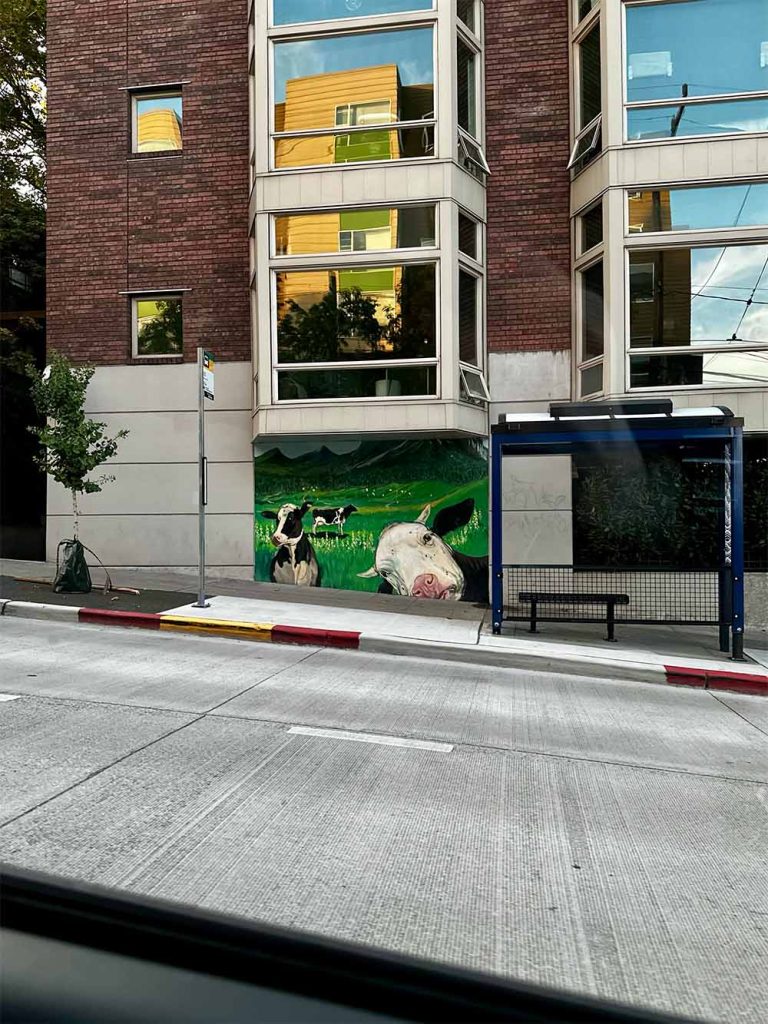
A three-column image gallery using the wp-block-gallery grid layout. On mobile, columns collapse to two.




Video
The video block renders a native <video> element at full content column width with height: auto.
Audio
The audio block renders a native <audio> element with browser-default controls at full width.
Embed (YouTube)
Embedded video uses a 16:9 aspect ratio wrapper with padding-bottom: 56.25% so the iframe scales responsively without JavaScript.
Embed (Instagram)
Embed (TikTok)
@apple 01101101 01101111 01110100 01101000 01100101 01110010
♬ original sound – apple
Embed (Twitter / X)
Twitter embeds are height-intrinsic — the iframe sets its own height after load. The stylesheet releases the 16:9 padding trick for Twitter providers and lets the iframe size naturally.
Media & Text
The media and text block places an image on one side and content on the other in a two-column grid. On mobile it stacks vertically.

Media on the left (default)
Content sits to the right of the image. This layout is useful for feature callouts, product highlights, or any content that benefits from a visual anchor alongside the copy.
Media on the right
The has-media-on-the-right variant flips the order so the image appears on the right and the content on the left.

Cover
The cover block overlays text on a background image or color. The inner container is centered and uses z-index layering so the overlay dim and the content sit above the background.

Headless WordPress, fully styled
Zero dependencies. Framework agnostic. Drop in and go.
Columns
The columns block uses flexbox. On mobile, columns stack vertically unless is-not-stacked-on-mobile is set.
Column 1: This is the first column. It contains paragraph text and demonstrates how the flex layout divides horizontal space evenly between siblings.
Column 2: This is the second column. Each column is a wp-block-column with flex: 1 1 0% so they share space equally by default.
Column 3: A third column can be added. The gap between columns is controlled by --wp-gap.
Buttons
Single button block:
Outline style button:
Button group (multiple buttons side by side):
Table
| Variable | Default | Description |
|---|---|---|
--wp-content-max-width | 860px | Content column width |
--wp-wide-max-width | 1200px | Alignwide breakout width |
--wp-gap | 1.5rem | Spacing between blocks |
--wp-border-color | #e2e2e2 | Borders on tables, separators |
--wp-button-bg | #333 | Button background |
--wp-button-color | #fff | Button text |
--wp-inline-code-bg | #f4f4f4 | Inline code background |
--wp-inline-code-color | #1a1a1a | Inline code text |
Striped Table
| Package | Framework | Stars |
|---|---|---|
| wp-block-styles | Framework agnostic | — |
| @wordpress/base-styles | WordPress only | — |
| sanitize.css | Framework agnostic | — |
Separator
Default separator:
Wide separator:
Dots separator uses · · · generated via ::before.
Spacer
The spacer block inserts a fixed-height blank space between blocks. A 40px spacer is inserted here — the gap between this sentence and the next heading is taller than normal as a result.
File Download
The file block displays a file name and a download button side by side in a bordered container.

Details / Accordion
The details block uses the native HTML <details> and <summary> elements available since WordPress 6.4.
What is the WordPress REST API?
The WordPress REST API provides an interface for applications to interact with your WordPress site by sending and receiving data as JSON. It is the foundation of headless WordPress.
Why use wp-block-styles instead of @wordpress/base-styles?
@wordpress/base-styles is built for the WordPress block editor admin UI — it imports the full WP design system, Sass variables, and editor-specific layout rules. None of that is relevant when you are rendering post content on an arbitrary front-end. wp-block-styles targets only the classes that content.rendered actually emits.
Does this package require JavaScript?
No. It is a plain CSS file with zero dependencies and no JavaScript. Import it once and all Gutenberg block classes are styled.
Social Icons
The social icons block renders an unordered list of icon links with configurable background colors.
Search Block
The search block renders a label, a text input, and a submit button. The input and button share a border and appear as a single unit.
Latest Posts
The latest posts block renders a list of post titles, dates, and optional excerpts.
- Add Custom Code to Wix: What Snippets Can and Can’t Do
- Wix to WordPress Migration: Content, Products and Redirects
- Do You Own Your Wix Website? Wix vs. WordPress Ownership
- Wix Harmony and Custom Code: What a Developer Can Add Later
- MediaWiki as a Company Knowledge Base: Strengths and Limits
Latest Comments
The latest comments block renders a list of recent comment metadata — author, post title, and date.
Footnotes
This paragraph references a footnote.1 The footnotes block renders at the bottom of the post content with a top border separator and smaller text.
Math (MathML / LaTeX)
The math block was introduced in WordPress 6.9. It renders MathML natively in supporting browsers and falls back to MathJax or KaTeX for others.
Block-level equation example (display math):E=mc2∫0∞e−x2dx=2π
Inline math appears within paragraph text, for example: the quadratic formula is x=2a−b±b2−4ac where a, b, and c are coefficients.
Alignment Utilities
alignwide
The alignwide class breaks the element outside the standard content column up to --wp-wide-max-width (default 1200px).
alignfull
The alignfull class stretches the element to 100vw using a negative margin trick: margin-left: calc(50% - 50vw).
Text Alignment Helpers
The has-text-align-left, has-text-align-center, and has-text-align-right classes apply text alignment to any block.
This text is center-aligned using has-text-align-center.
This text is right-aligned using has-text-align-right.
Color & Background Utilities
WordPress emits named palette classes for colors defined in the active theme. The package provides neutral fallbacks for the default WP palette so layout is not broken when these classes appear in content.rendered.
Example palette classes: has-vivid-cyan-blue-color, has-vivid-red-background-color, has-large-font-size.
Dark Mode
Dark mode styles are applied automatically via @media (prefers-color-scheme: dark). All color values are controlled by CSS custom properties so overriding the dark theme is a single variable declaration.
Toggle your OS dark mode to verify that code blocks, inline code, borders, table headers, accordion headers, buttons, and caption colors all adapt correctly.
Manual dark mode is also supported via a data-theme attribute:
js
// Force dark mode
document.documentElement.setAttribute('data-theme', 'dark')

// Force light mode (suppresses OS dark preference)
document.documentElement.setAttribute('data-theme', 'light')

// Follow OS preference
document.documentElement.removeAttribute('data-theme')Use File > Print or Cmd+P to verify print styles. Embeds are replaced with a [Embedded media — view online] placeholder, buttons and social icons are hidden, float alignments are cleared so nothing overflows the page, and links display their full URL after the anchor text.
Footnotes
- This is the footnote content rendered by the
wp-block-footnotesblock. It uses smaller text and the--wp-caption-colorvariable for its color. ↩
How It Compares
| wp-block-styles | @wordpress/base-styles | Tailwind Typography |
|---|---|---|
| Headless WordPress REST API | WP Admin editor UI only | Generic prose styling |
| wp-block-* class support | No | No |
| Zero dependencies | Yes | Yes |
| Works with Tailwind | No conflicts | Prose conflicts with wp-block-* |
| Single-purpose | Many responsibilities | Generic typography |
Frequently Asked Questions
-
How do I style WordPress REST API content?
Install wp-block-styles and import the CSS in your application. The library provides styles for all standard WordPress Gutenberg block classes returned by the REST API, so your headless content renders with proper typography and layout out of the box.
-
Does headless WordPress need custom CSS?
Yes. Gutenberg blocks output semantic HTML with block-specific classes, but no stylesheet. Without CSS, blocks like quotes, galleries, and covers appear as unstyled HTML. wp-block-styles fills this gap with minimal, focused styling targeted at block classes.
-
What's the difference between wp-block-styles and @wordpress/base-styles?
@wordpress/base-styles is built for the WordPress admin editor UI, not for rendering REST API content in headless applications. It carries many dependencies and styles intended for the editor, not the frontend. wp-block-styles is zero-dependency and focused solely on styling Gutenberg block output in any framework.
-
Can I use Tailwind Typography with WordPress REST API content?
Tailwind's prose plugin provides generic article styling but conflicts with wp-block-* classes and duplicates block elements unnecessarily. wp-block-styles is designed specifically for WordPress block classes and works seamlessly with Tailwind without conflicts.
Ready to Use It?
Published on npm and source available on GitHub. Zero dependencies, one import.