
Styling the WordPress REST API in Next.js, React, and Beyond – Introducing wp-block-styles
If you’ve ever pulled content from the WordPress REST API into a headless front-end – whether that’s Next.js, React, Nuxt, Vue, SvelteKit, Svelte, Astro, TanStack, or anything else – you’ve run into the same problem: the HTML comes back full of wp-block-* class names and nothing to style them with. Every image breaks its container. Embeds collapse to zero height. Block quotes look naked. The gap between what your WordPress editor produces and what your front-end renders is your problem to solve.
I’ve been solving that problem by hand since 2021 – first documented in my post on building a headless WordPress front-end with Nuxt.js, where I published a first-pass CSS cheat sheet covering the basics. That cheat sheet has been sitting in my own projects ever since, getting quietly improved as I hit new edge cases. This week I finally turned it into a proper, publishable package.
wp-block-styles is now live on npm.
Why use the WordPress REST API at all?
Before getting into the package itself, it’s worth addressing the question developers often ask when they first encounter headless WordPress: why bother? Why not just use a purpose-built headless CMS?
There are a few genuinely compelling reasons.
Legacy systems and existing content. A huge portion of the web is already running on WordPress. If a client or organization has years of content, an established editorial workflow, and a team that already knows the WordPress admin, ripping that out and migrating to a new CMS is a significant undertaking with real risk. Headless WordPress lets you keep all of that and replace only the front-end – which is often where the real performance and developer experience problems live anyway.
Collaboration and familiarity. WordPress powers over 40% of the web. That means content editors, marketers, and non-technical stakeholders overwhelmingly already know how to use it. When you bring in a new team member, a freelance writer, or a client who wants to manage their own content, the odds are good they’ve used WordPress before. That’s a meaningful operational advantage over asking everyone to learn a new tool.
The ecosystem. WordPress has a mature, battle-tested ecosystem of plugins for SEO, forms, e-commerce, custom post types, and advanced custom fields. Many of these expose REST API endpoints that your front-end can consume directly. You get the benefit of that ecosystem without being locked into WordPress’s theming system.
Cost and hosting flexibility. A headless WordPress instance can be a bare-bones install running on cheap shared hosting or a small VPS, with no theme overhead, no front-end plugins, no page builders – just a CMS emitting JSON. Your front-end lives separately, deployed to a CDN edge, getting all the performance benefits of a static-first or server-rendered modern framework.
The styling problem in detail
When WordPress renders a post via the REST API, the content.rendered field contains fully-formed HTML. Gutenberg has been WordPress’s default editor since 2018, and every block it produces gets a corresponding wp-block-* class name on its wrapper element. An image block becomes a <figure class="wp-block-image">. A YouTube embed becomes a <figure class="wp-block-embed wp-block-embed-youtube"> with a nested <div class="wp-block-embed__wrapper"> containing an iframe. A blockquote becomes <blockquote class="wp-block-quote">.
None of these classes come with default styles in the REST API response. WordPress’s own @wordpress/base-styles package exists, but it’s built for the block editor admin UI – it pulls in the entire WordPress design system, Sass variables, admin color schemes, and editor-specific layout rules. None of that is what you need when you’re rendering a blog post in a Next.js app.
What you need is a lean, renderer-focused stylesheet that handles exactly what Gutenberg emits in content.rendered, and nothing else.
What wp-block-styles covers
The package targets all current WordPress core block classes as of Gutenberg 21.x and WordPress 6.9, including blocks that were recently introduced:
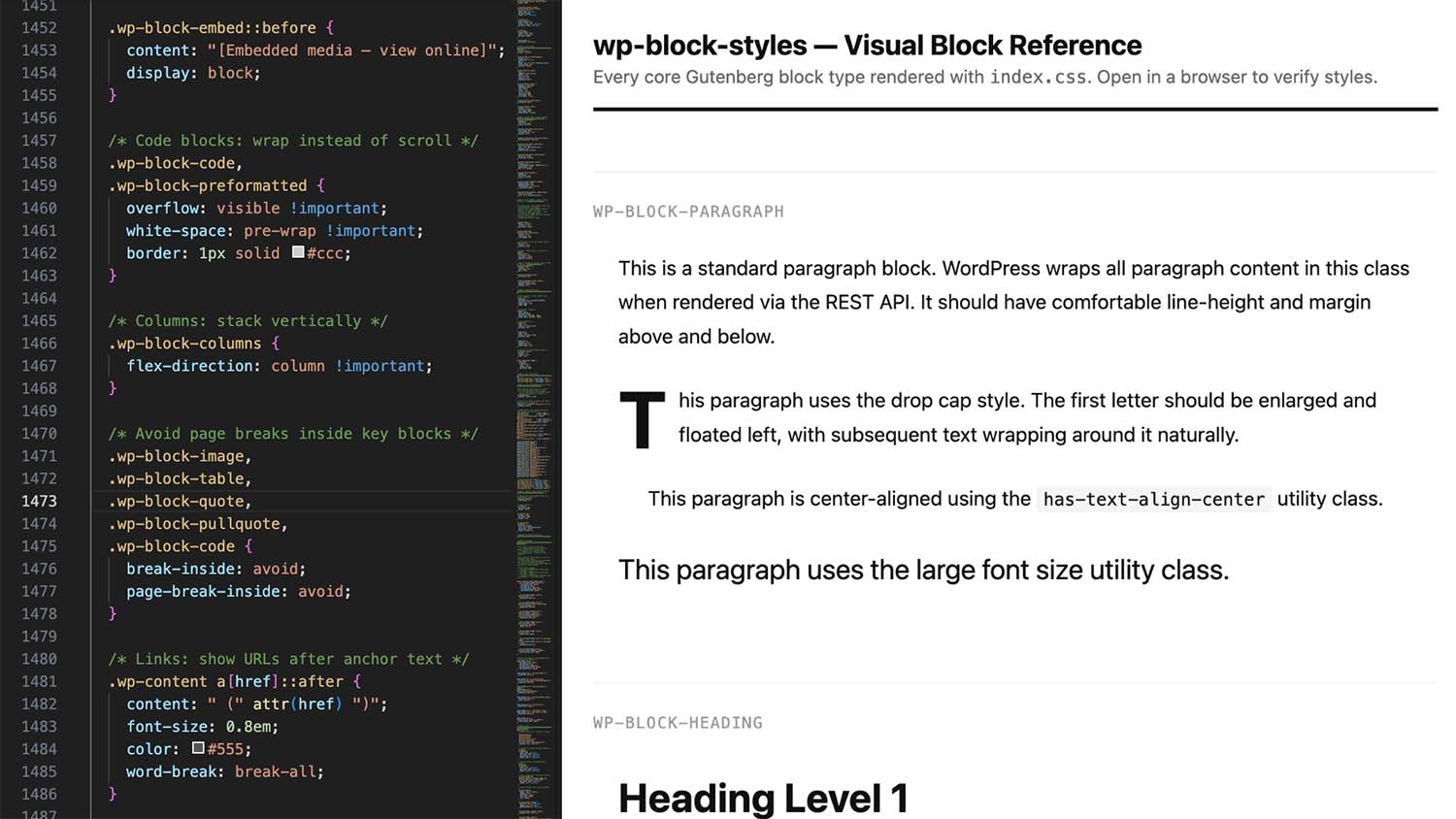
- All text blocks: paragraphs with drop cap support, headings, lists with proper nested styling (disc → circle → square for unordered, decimal → lower-latin → lower-roman for ordered), code, preformatted, verse/poetry, footnotes
- All media blocks: image with alignment variants including
alignfullandalignwidefull-bleed breakouts, gallery grid, video, audio, cover with overlay - Embeds with correct aspect ratio handling – YouTube/Vimeo at 16:9, plus 4:3, 1:1, 9:16, and 21:9 variants
- Social embed overrides for Twitter/X, Instagram, and TikTok – including the pre-load blockquote state that renders before the platform’s JavaScript runs
- Layout blocks: columns with mobile stacking, group with flex and grid layout variants, media & text
- UI blocks: buttons with fill and outline styles, table with stripes variant, separator with dots and wide styles, file download, details/accordion
- The Math block new in WordPress 6.9, with overflow handling and MathJax/KaTeX polyfill container support
- Alignment utilities, text-align helpers, WordPress palette color classes, and font size utilities
- Legacy Classic Editor classes (
wp-caption,wp-caption-text) for older content - Dark mode via both
@media (prefers-color-scheme: dark)and[data-theme="dark"]for manual theme toggles - Print styles that strip embeds, clear floats, wrap code, and display link URLs
Framework agnostic – works everywhere
The package is a single static CSS file with zero JavaScript and zero dependencies. That means it works anywhere you can import a stylesheet:
Next.js App Router:
// app/layout.tsx
import 'wp-block-styles'
Next.js Pages Router:
// pages/_app.js
import 'wp-block-styles'
TanStack Start / TanStack Router:
// app/routes/__root.tsx
import 'wp-block-styles'
Nuxt:
// nuxt.config.ts
css: ['wp-block-styles']
SvelteKit:
// src/routes/+layout.svelte
import 'wp-block-styles'
Astro:
// src/layouts/Layout.astro
import 'wp-block-styles/index.css'
Vue (Vite):
// main.js
import 'wp-block-styles'
In every case, the import is one line. Your bundler handles the rest, and because the file is static and side-effect free, it gets content-hash cache busted automatically on version updates.
Scoped usage and theming
All selectors are also prefixed with .wp-content, so if you want to scope the styles to only your post content wrapper – preventing any class name collisions with your own design system – just add the class to your content container:
import 'wp-block-styles'

export default function Post({ content }) {
  return (
    <article
      className="wp-content"
      dangerouslySetInnerHTML={{ __html: content }}
    />
  )
}
The stylesheet ships with CSS custom properties for the main design values, so you can override defaults without forking the file:
:root {
  --wp-content-max-width: 780px;
  --wp-code-bg: #0d1117;
  --wp-blockquote-border: #your-accent-color;
}
Install it
npm install wp-block-styles
The package includes both index.css (readable, commented) and index.min.css (35% smaller for production). Both are in the files field of package.json so you get the choice.
Issues, edge cases, and PRs are welcome. WordPress adds new blocks regularly and this package will track them.