
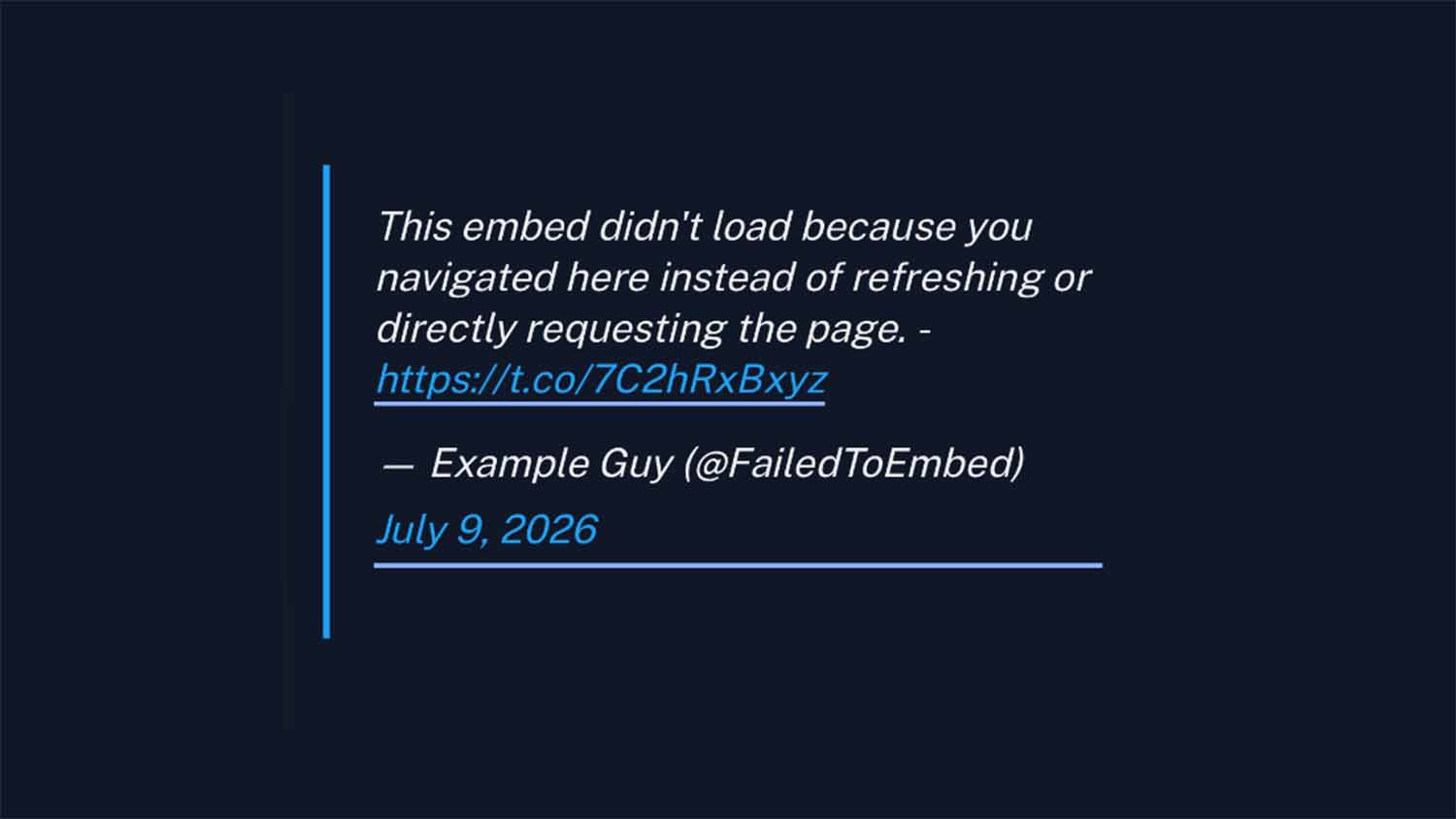
What a broken embed actually looks like: the unstyled fallback text visitors see when the platform's script never gets a chance to run.
Why Instagram, TikTok, Twitter, and Other Social Embeds Break on Next.js Route Changes
If you pull blog content from a headless CMS into Next.js and render it with dangerouslySetInnerHTML, you have probably hit this: Instagram, TikTok, and Twitter/X embeds render fine on a hard refresh or the first page load, then silently fail on every subsequent client-side navigation. Click into a post from a listing page and the embed area is empty. Refresh that same URL and it comes back.
The cause is a rule in the HTML specification about how markup inserted through innerHTML is treated, and it shows up regardless of what feeds the content. WordPress’s REST API is the most common trigger in the public reports, because pulling post content that way is one of the most popular ways to build a Next.js front end. Contentful, Sanity, Strapi, or a flat-file markdown pipeline produce the same failure.
Rundown
- Browsers never execute
<script>tags inserted throughinnerHTML, which is whatdangerouslySetInnerHTMLdoes underneath. The HTML specification states it outright. - On a full page load the browser’s own HTML parser handles the document and runs the embed script, which is why refresh always works.
- On a client-side route change React patches the DOM instead. The script arrives as a DOM mutation, the browser has no reason to run it, and the widget never initializes.
- Reported against Next.js since June 2019, across both routers, multiple major versions, several content sources, and even scripts declared with
next/scriptoutside any CMS. One of those reports has been open since October 2023. - The workaround shown in most write-ups, deleting and re-appending the SDK
<script>on every navigation, works but re-downloads and re-executes the platform SDK each time. - Twitter and Instagram both ship idempotent re-scan functions built for this exact case. Calling those instead loads each SDK once per session and scopes the re-scan to the container that changed.
- The durable fix is to drop the script altogether. Instagram and TikTok expose script-free iframe endpoints keyed by post id, and an iframe renders no matter how it entered the DOM, which is why YouTube embeds were never affected.
- Server-rendered templating sidesteps it structurally. The Express and EJS stack that replaced one of my Next.js front ends carries no embed-handling code at all.
The symptom, step by step
- You fetch a post through the WordPress REST API. The body contains raw embed markup: an Instagram
<blockquote class="instagram-media">, or a Twitter/X<blockquote class="twitter-tweet">, each paired with a platform script tag. - You render that body with
dangerouslySetInnerHTML={{ __html: post.content }}. - On first load or a hard refresh, the embed renders correctly.
- Navigate to that same post from anywhere else in the app through client-side routing, and the embed area stays empty or shows the unstyled fallback blockquote.
The same failure reaches Instagram, TikTok, Twitter/X, Facebook post embeds, Pinterest widgets, Reddit embeds, LinkedIn badges, CodePen embeds, Disqus comment widgets, and Google Maps embeds. Anything that depends on an external script scanning the DOM for a class name or data attribute after load is exposed.
What arrives from the CMS makes the mechanism visible. A Twitter embed in a WordPress post body comes back from the REST API looking like this:
<blockquote class="twitter-tweet">
  <p>Post text as a fallback…</p>
  <a href="https://twitter.com/user/status/123">January 1, 2026</a>
</blockquote>
<script async src="https://platform.twitter.com/widgets.js" charset="utf-8"></script>
Two separate things are doing the work. The <blockquote> is inert fallback markup, which is why a broken embed shows plain unstyled text rather than nothing at all. The <script> loads a library that scans for .twitter-tweet and swaps in the real widget. When the script never runs, the blockquote is all that survives, and the page looks broken without throwing a single error.
Confirming this is what you are hitting
Three checks separate this from a caching problem or a CMS problem, in order of speed.
Navigate to the post through a <Link>, then hard-refresh the same URL without changing anything else. If refresh renders the embed and navigation does not, the content is fine and the script execution path is the variable.
Next, inspect the DOM on the broken navigation. The <blockquote> will be present with its original class intact and no sibling <iframe>. The platform library replaces that blockquote when it runs, so an untouched blockquote means the library never processed it.
Finally, check whether the library loaded at all, in the console:
window.twttr?.widgets   // undefined means the SDK never loaded
window.instgrm?.Embeds  // same for Instagram
Both outcomes point at the same fix, and they call for different code. If the object is undefined, the script tag itself never executed. If the object exists but the embed still did not render, the SDK loaded earlier in the session and simply has not rescanned the new markup, which is the common case on the second and later navigations.
What the HTML specification says
dangerouslySetInnerHTML is React’s escape hatch for injecting a raw HTML string, bypassing React’s own rendering. The browser parses and displays that markup, and refuses to run any <script> inside it. The WHATWG HTML specification is unambiguous about script elements: “When inserted using the innerHTML and outerHTML attributes, they do not execute at all.”
That rule predates React by years. It is a property of the DOM, not a Next.js decision.
A full page load never touches it. When Next.js server-renders a page and sends real HTML, the browser’s initial HTML parser handles the document, and that parser does execute script tags it encounters. The embed works on first load because the script never passed through innerHTML on that request.
A client-side route change takes a different path. The router swaps components without a document reload, React reconciles the DOM, and the script tag in the new content is inserted as a raw HTML string. The browser already parsed and executed the document’s scripts once. A script element that appears later inside a DOM mutation falls under the rule above, so the Instagram or Twitter library never runs against the new markup.
Why the restriction is correct
The security rationale holds up on its own. If browsers ran scripts inserted through innerHTML, every HTML-injection point, whether a comment field, a rich-text editor, or a CMS body, would double as a stored-XSS vector, because anyone who could get raw HTML into that field could get arbitrary JavaScript running in someone else’s browser.
MDN is careful about how much protection this buys, noting that while the property “does prevent <script> elements from executing when they are injected,” it remains susceptible to other injection techniques such as event-handler attributes. The rule is one layer, not a sanitizer.
The name dangerouslySetInnerHTML exists to flag that you are opting into a raw-HTML surface. Next.js inherits the browser behavior correctly and there is nothing to fix at that layer.
Where Next.js has room to improve
The gap is one level up, and it is narrower than it first looks. For scripts declared in the component tree, Next.js does provide an answer: next/script takes an onReady callback that fires on first load and again on every subsequent component remount, which the documentation illustrates with a Google Maps embed being re-instantiated after navigation. That prop landed in v12.2.4.
What has no equivalent is the case above: a trusted HTML string from your own CMS with a script tag inside it. onReady cannot reach that script, because the script was never a component. A sanctioned “re-run scripts in this container after a route change” utility would not weaken the security default, since it would only apply to content the developer explicitly chose to render, and nothing like it has shipped in the seven years since the first report.
The fair criticism is not that Next.js got security wrong, because it inherited the correct browser behavior, nor that it ignored the problem entirely, because onReady exists. The criticism is that the most common shape of the problem, CMS content rendered through dangerouslySetInnerHTML, still leaves every team hand-rolling the same useEffect.
The public reports, 2019 to 2023
This appears repeatedly across Next.js’s issue tracker and discussions, on different versions, both routers, and different content sources.
| Report | Opened | Content source | Status |
|---|---|---|---|
| #7555 | Jun 11, 2019 | WordPress REST API | Closed in 3 days as off-template |
| #16677 | Aug 29, 2020 | Not stated | No accepted answer |
| #17919 | Oct 15, 2020 | Not stated; Sanity in comments | Answered |
| #51046 | Jun 9, 2023 | WordPress REST API | Answered by a Next.js collaborator |
| #57023 | Oct 18, 2023 | None; next/script only | Open, labeled bug |
Confirmed WordPress REST API
- Issue #7555, filed June 11, 2019. The reporter’s code reads
post.acf.volanta,post.title.rendered, andpost.excerpt.rendered, the.renderedfield shape that comes straight out of the WordPress REST API, alongside the ACF plugin. It was closed three days later with a request to follow the issue template and take questions to Spectrum. No technical response was ever given. - Discussion #51046, opened June 9, 2023. The reporter states they are “generating static sites from WordPress content, and some post has a script in its content.” The marked answer, from a Next.js collaborator credited on the docs team, confirms it is expected behavior and that the fix is to re-parse and re-append the content on navigation.
Content source unspecified
- Discussion #17919, opened October 15, 2020, about scripts declared in
_document.jsthat stop working after navigation. The thread accumulates Facebook, Twitter, Disqus, AfterShip, SweepWidget, and DICE, and one commenter reports it while pulling content from Sanity. It is marked answered. - Discussion #16677, opened August 29, 2020, an Instagram case with no CMS named. Two comments, no accepted answer.
No CMS involved at all
- Issue #57023, filed October 18, 2023 against
next@13.5.6-canary.6, uses no CMS and nodangerouslySetInnerHTML. It declares scripts directly withnext/script, and the Twitter, Instagram, DICE, and SweepWidget scripts still fail to reload after navigating away from a route and back. Four other developers confirmed it in the thread. LabeledbugandLinking and Navigating, it is still open, nearly three years on.
That last report is the strongest evidence that the problem is architectural rather than a misuse of dangerouslySetInnerHTML. Doing it the framework-recommended way, with next/script, still does not guarantee re-execution when a user returns to a route.
The spread of content sources matters too. WordPress dominates the reports because headless WordPress plus dangerouslySetInnerHTML is such a common pairing, not because anything about WordPress causes it. The Sanity report in #17919 and the CMS-free reproduction in #57023 bracket the range.
The workaround most write-ups show
The usual advice is to delete the SDK script tag and append a fresh one on every route change.
// Anti-pattern: works, but re-downloads the SDK on every navigation
useEffect(() => {
  const reload = (src) => {
    document.querySelector(`script[src="${src}"]`)?.remove()
    const s = document.createElement('script')
    s.src = src
    s.async = true
    document.body.appendChild(s)
  }

  const onRouteChange = () => {
    reload('https://platform.twitter.com/widgets.js')
    reload('https://www.instagram.com/embed.js')
  }

  Router.events.on('routeChangeComplete', onRouteChange)
  return () => Router.events.off('routeChangeComplete', onRouteChange)
}, [])
It works. It also re-fetches and re-parses a third-party SDK on every navigation, for every platform, whether or not the destination page contains that kind of embed. On a content site with embeds scattered across hundreds of posts, that is a recurring cost paid on pages that need nothing.
The approach the platforms document
Both Twitter and Instagram ship a function whose entire purpose is re-scanning the DOM for embed markup that appeared after load. Using them means loading each SDK once per session and re-scanning on navigation instead of re-downloading.
X’s documentation is explicit: pass the new document fragment to twttr.widgets.load() to initialize embedded Tweet content, and pass one or more DOM elements to restrict the scan to the new fragments for performance. Instagram exposes window.instgrm.Embeds.process() for the same job.
The implementation that ran on a directory site of mine, before it moved off Next.js in April 2026, built on that. First, detect which platforms appear in the content, so nothing loads speculatively:
export function detectEmbeds(content: string) {
  return {
    hasTwitter: /twitter\.com|x\.com|twitter-tweet/i.test(content),
    hasInstagram: /instagram\.com|instagram-media/i.test(content),
    hasTikTok: /tiktok\.com|tiktok-embed/i.test(content),
  }
}
Then, for each platform present, call the re-scan function if the SDK is already loaded, and otherwise load it once and call the function on completion:
const embeds = detectEmbeds(content)

if (embeds.hasTwitter) {
  if (window.twttr?.widgets) {
    window.twttr.widgets.load(contentRef.current)
  } else {
    loadScript('twitter', 'https://platform.twitter.com/widgets.js').then(() => {
      if (window.twttr?.widgets && contentRef.current) {
        window.twttr.widgets.load(contentRef.current)
      }
    })
  }
}

if (embeds.hasInstagram) {
  if (window.instgrm?.Embeds) {
    window.instgrm.Embeds.process()
  } else {
    loadScript('instagram', 'https://www.instagram.com/embed.js').then(() => {
      window.instgrm?.Embeds.process()
    })
  }
}
Passing contentRef.current to twttr.widgets.load() is the detail worth copying. It scopes the scan to the article container instead of the whole document, which is exactly what X’s performance guidance recommends.
The loader guards against duplicate injection on both id and source, so repeated navigations never stack script tags:
function loadScript(platform: string, src: string): Promise<void> {
  return new Promise((resolve, reject) => {
    const scriptId = `${platform}-embed-script`
    if (document.getElementById(scriptId)) return resolve()
    if (Array.from(document.scripts).some((s) => s.src === src)) return resolve()

    const script = document.createElement('script')
    script.id = scriptId
    script.src = src
    script.async = true
    script.onload = () => resolve()
    script.onerror = () => reject(new Error(`Failed to load ${platform} script`))
    document.body.appendChild(script)
  })
}
The component side stays small. A ref gives the hook a scoped container, and the content still renders through dangerouslySetInnerHTML:
'use client'

export function ArticleContent({ content }: { content: string }) {
  const contentRef = useRef<HTMLDivElement>(null)
  useSocialEmbeds(contentRef, content)

  return (
    <div
      ref={contentRef}
      dangerouslySetInnerHTML={{ __html: content }}
      className="wp-content w-full"
    />
  )
}
Complete, with error handling and type declarations, that hook came to 191 lines.
A guard worth checking in your own version
The implementation above carries a subtlety that is easy to reproduce accidentally, and it is worth naming because it recreates the original bug in miniature.
The hook holds a processedRef to avoid double-processing, set once and never cleared:
const processedRef = useRef(false)

useEffect(() => {
  if (!contentRef.current || !content || processedRef.current) return
  // …load and re-scan…
  processedRef.current = true
}, [contentRef, content])
The effect depends on content, so navigating from one article to another does re-run it. But the early return fires first, because the ref is still true from the previous article. Whether that matters depends on whether React reuses the component instance across the navigation, and moving between two posts on the same dynamic route segment usually reuses it, which is exactly the article-to-article path readers take most often.
This one bit in production. Embeds kept failing on post-to-post navigation even with the re-scan hook in place, the guard was never revisited, and the recurring breakage became one of several reasons that site eventually moved off Next.js entirely.
Resetting the ref when the content changes closes it:
useEffect(() => {
  processedRef.current = false
}, [content])
The broader point applies to any version of this fix: the guard has to be scoped to a single piece of content, not to the component’s lifetime. A once-per-mount flag is indistinguishable from a working fix during testing, because the first article always renders correctly.
What next/script can and cannot do here
next/script is the framework’s tool for third-party scripts, and which part of it you reach for decides whether it helps.
The strategy prop does not. Its four values, beforeInteractive, afterInteractive, lazyOnload, and the experimental worker, all schedule when a script first loads, leaving the operation a second navigation needs, re-invoking a library that has already run, outside their reach.
The onReady prop does, within limits. It fires after the script’s load event and again on every subsequent component remount, and the documentation demonstrates it by re-instantiating a Google Maps embed on navigation. If your embed script is declared as a <Script> component, that callback is the right place to call the platform’s re-scan function.
Two limits keep it from being a general answer. It only fires on remount, so a component that stays mounted while its content changes never gets the callback, which is the same trap described in the previous section. And it cannot touch scripts that arrive inside a CMS HTML string, because those are never components.
Issue #57023 shows the gap in practice: scripts declared with next/script still failed to reinitialize after navigating away from a route and back, on Next.js 13.5, with four other developers confirming.
The underlying distinction is the one worth carrying: loading a script and initializing a widget are separate operations, and third-party SDKs only expose the second through their own re-scan functions.
The durable fix: convert the embed to an iframe
Everything above works around the script. The better move is to not have one.
Instagram and TikTok both expose a plain iframe endpoint keyed by the post’s own id, alongside the blockquote-and-script pair their “copy embed code” button hands you:
https://www.instagram.com/p/{shortcode}/embed/captioned/
https://www.tiktok.com/embed/v2/{videoId}
An iframe carries no script, so the rule at the top of this page never applies to it. Browsers render iframes immediately regardless of how the element entered the DOM, which is the same reason YouTube embeds have never had this problem. Client-side navigation, dangerouslySetInnerHTML, a re-scan hook, onReady, a stale guard ref: none of it matters, because there is nothing to execute.
The size difference is worth seeing. Instagram’s copy-embed button produces roughly four kilobytes of placeholder <div>s and inline SVG, plus a script tag whose only job is to replace all of it. The iframe equivalent is one element and a URL, and the only value carried across from the original embed code is the post’s shortcode.
The cleanest place to do the conversion is at authoring time, so the CMS never stores the fragile form. The admin editor on the site that replaced this Next.js front end intercepts the paste, pulls the id out of whatever the provider put on the clipboard, and inserts an iframe instead:
function embedFromPaste(raw) {
  const ig = raw.match(/instagram\.com\/(p|reel|tv)\/([A-Za-z0-9_-]+)/i)
  if (ig) {
    return {
      src: `https://www.instagram.com/${ig[1]}/${ig[2]}/embed/captioned/`,
      width: 400, height: 480,
    }
  }

  const tt = raw.match(/data-video-id=["'](\d+)["']/i)
    || raw.match(/tiktok\.com\/[^"'\s]*\/video\/(\d+)/i)
  if (tt && /tiktok/i.test(raw)) {
    return { src: `https://www.tiktok.com/embed/v2/${tt[1]}`, width: 325, height: 750 }
  }

  return null
}
Providers put the embed on the clipboard as text/html when you copy a rendered node and as text/plain when you copy from their code box, so a paste handler should check both.
One detail in that function is a security property rather than a convenience. Only the id is taken from the pasted markup; the host and path are hardcoded. An editor that interpolated a pasted URL wholesale into an iframe src would let anyone with posting access point a frame at an arbitrary origin.
The tradeoffs are real but small. You lose the fallback blockquote, so a reader who blocks the provider’s domain sees an empty frame rather than a caption and a link. Fixed width and height attributes need converting to an aspect ratio if the layout is responsive, since a vertical Reel and a landscape post do not share a shape. And the conversion has to happen somewhere: at paste time, in a CMS filter, or in the template.
In exchange, the failure mode described above stops existing, on any framework, with no client-side code at all.
When you are stuck with the blockquote
Converting at authoring time only helps content you control going forward. An archive full of stored blockquotes, or a CMS whose editor you cannot modify, leaves you with the script-based form and the re-scan hook above. Two things are worth knowing in that situation.
The fallbacks fail differently, which matters for how you recognize the symptom. Instagram ships a skeleton loader, roughly four kilobytes of inline SVG and grey placeholder boxes, topped with “View this post on Instagram” and the author’s handle. Twitter ships the post text and a dated permalink. So a broken Instagram embed looks like a placeholder stuck mid-load, while a broken Twitter embed looks like unstyled text. Neither throws an error.
TikTok deserves its own handling. Its embed script rewrites the markup it finds and removes blockquotes that do not match its expected structure closely enough, so loading the script against a CMS-emitted fallback can strip that fallback and leave nothing behind. Skipping TikTok’s script keeps the fallback, which is a working link to the video and real markup for crawlers. Its oEmbed endpoint offers a middle path, fetching embed HTML per URL and replacing the blockquote, at the cost of a network round trip per embed and a runtime dependency on a third-party endpoint.
Why server-rendered navigation never hits this
The variable is not React versus something else, and not Express versus Next.js. It is whether each navigation is a full HTTP request returning a complete HTML document, or whether the framework intercepts navigation and patches the DOM. The first never triggers this. The second does, whichever client-side router is doing the patching.
A React app with no client-side router behaves like a server-rendered Rails or Django app here: the browser’s native parser handles every navigation and executes the embed script each time. Nuxt, SvelteKit, and Remix hit the same wall once configured for client-side transitions. The problem belongs to client-side routing, not to any one framework.
In the EJS templates that replaced that Next.js front end, CMS content is interpolated straight into the response:
<div class="wp-content"><%- cleanedContent %></div>
There is no dangerouslySetInnerHTML step and no client-side router. The browser receives a complete document on every navigation and parses the embed script the same way every time, on the first request and the two-hundredth. Searching that codebase for embed-handling JavaScript returns nothing: no twttr, no instgrm, no platform script URLs, no re-scan hook. The 191 lines became zero, and the behavior became the browser’s default.
This page runs on that stack, so the claim is testable here. Below is the unmodified blockquote-and-script markup straight from Instagram’s copy-embed button, for one of my own posts:
That is the exact form that goes blank on a Next.js client-side navigation. It renders here because the browser’s own parser handled the script when it built the document, which is the whole of the difference.
One caveat, and it doubles as a demonstration. If you block instagram.com at the network level, that embed collapses to Instagram’s fallback skeleton: grey placeholder boxes, the Instagram glyph, and a link. That is precisely the failure described at the top of the page, arriving by a different route, and it is what the header image shows. An iframe blocked the same way leaves an empty frame instead, which is one more argument for the conversion described earlier.
What each architecture costs
| Rendering path | Embed script executes? | Code required |
|---|---|---|
| Full page load or hard refresh, any framework | Yes, the browser’s HTML parser runs it | None |
Next.js client-side navigation (<Link>, router.push) | No, inserted via innerHTML | Re-scan hook, roughly 190 lines with error handling |
| Any client-side router patching the DOM (Nuxt, SvelteKit, Remix, React Router) | No, same rule applies | Equivalent per-framework workaround |
| Server-first request/response (Express and EJS, Rails, Django, Laravel, Astro default) | Yes, every navigation | None |
| Iframe embed, any framework or router | No script involved | Conversion at authoring time, then nothing |
When this should change your framework choice
Rarely on its own. The failure is narrow: it bites when you inject third-party embed scripts through dangerouslySetInnerHTML and rely on client-side navigation. If your content has no social embeds, or you are willing to maintain the re-scan hook, it stays a non-issue.
It deserves weight when a meaningful share of CMS content carries Instagram, TikTok, or Twitter embeds, because the failure is silent. Nothing errors. The page renders, the embed does not, and the gap only appears through client-side navigation, which is the path most automated checks skip. Discovering it in production after publishing an embed-heavy post is the common way teams meet it.
The broader question is how much of the App Router’s client-side navigation model a content site needs, measured against the guarantees a plain server-rendered request gives away for free.
Related reading
The migration that removed this class of bug was driven by a different Next.js problem: unbounded memory growth from caching high-cardinality dynamic routes, covered in Next.js Memory Leak on Self-Hosted Search Routes.
For the surrounding headless WordPress pipeline, I have written up an early version built on Nuxt.js, carrying Gutenberg block styles into a headless frontend, installing WordPress on Ubuntu Server for a self-hosted backend, and Mainframe, a minimal theme stripped to the REST API essentials.